See the exact links that sent you visitors
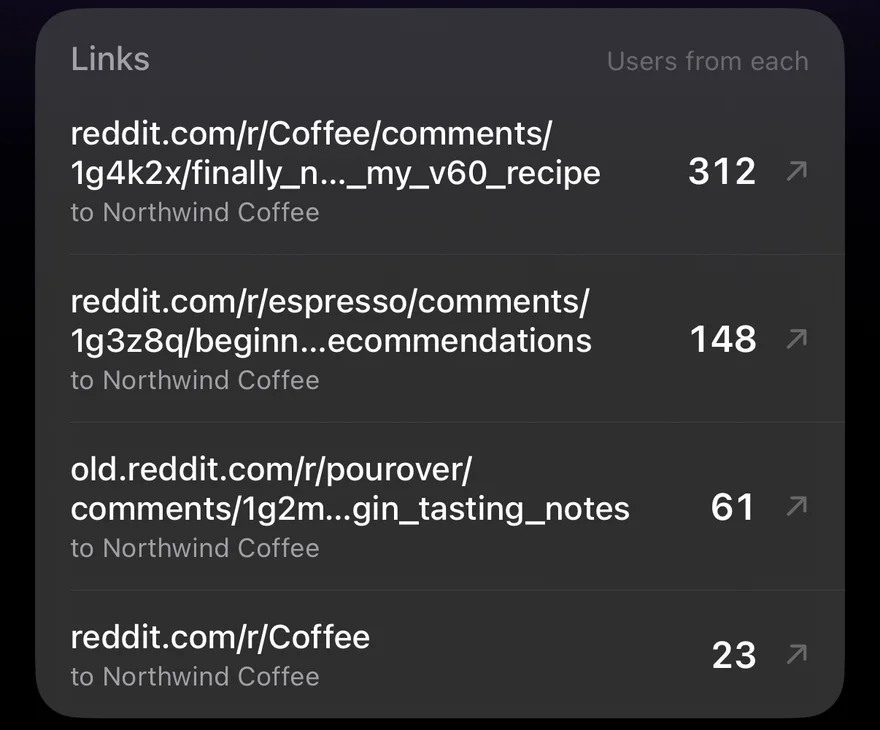
"reddit.com: 12 sessions" raises an obvious question: which thread? A source's page in GA Bridge now answers it.
Links
Below a source's sites, the Links card lists the actual pages that sent visitors in, such as reddit.com/r/webdev/comments/… or a particular blog post, with how many people each brought. Tap one to open it and see what was said about you.
If several of your sites got traffic from the same source, each link says which site it went to.
What's left out
Clicks from one of your own pages to another aren't outside links, so they're filtered out. Sources that don't pass a link along, like Direct, or many apps and email clients, have no Links card at all.
Where to find it
Open the Sources tab on the dashboard and tap any source. Its page shows sessions, a chart over your chosen time frame, the sites it sent people to, and now the links. See one page for every traffic source.