Google Analytics on your iPhone, for every site at once
An iPhone app that shows all your GA4 properties on one screen, with live visitors, a fair comparison with yesterday and likely bots left out. £2.99 once, with a free demo. For iOS 17 and later.
Updated

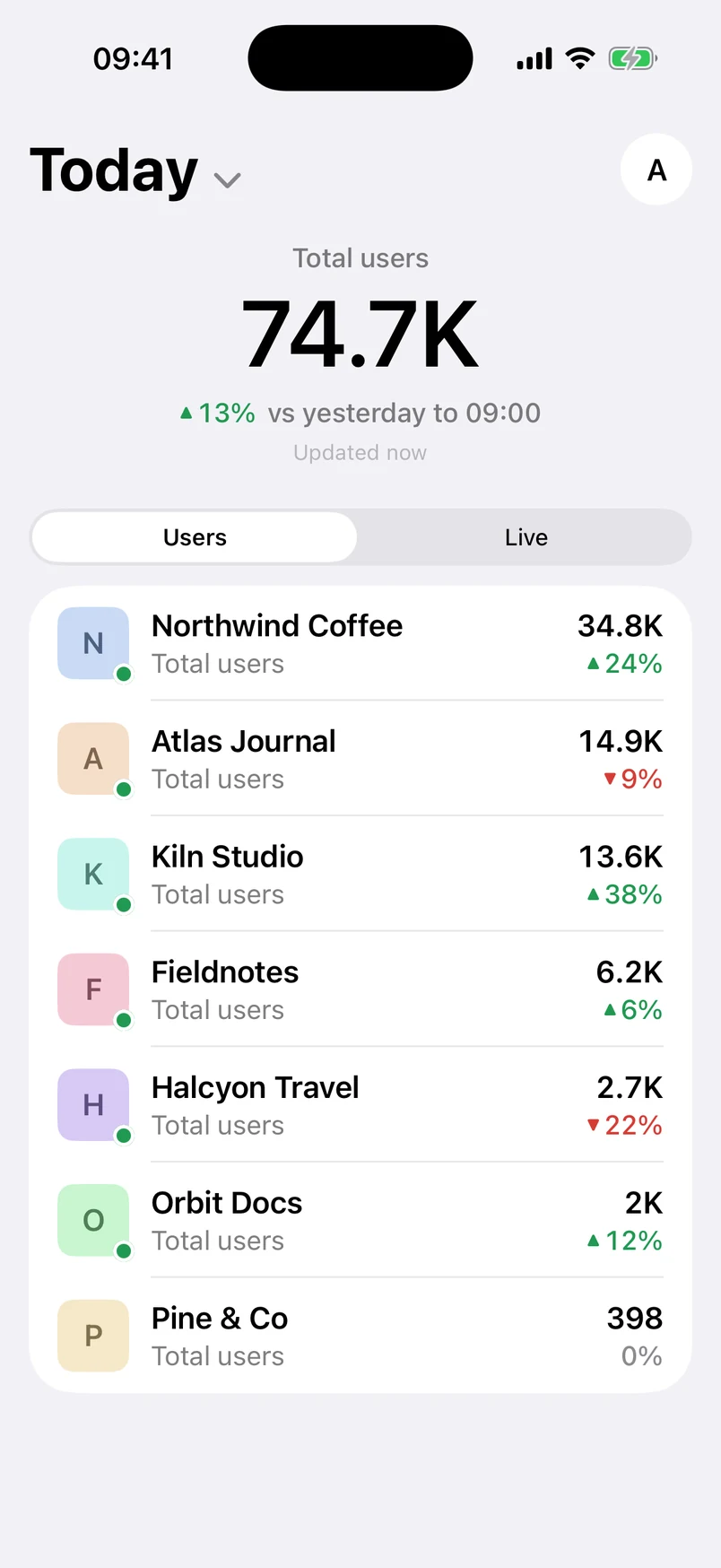
GA Bridge is an iPhone app for checking Google Analytics 4 across every website you look after. Sign in with the Google account you use for Analytics and every property it can see appears on one dashboard, across every account, busiest first. It needs iOS 17 or later.
It's a free download with a free demo: Try the demo on the sign-in screen opens the whole app on made-up sites, no account needed. To use it with your own Google Analytics, a one-time £2.99 purchase (or the local equivalent) unlocks every property; there's no subscription.
What's on the screen
- Every site, one list. Each property's users for today, yesterday, 7 days or 28 days, with the change against the period before. On Today, that's against yesterday up to the same hour, so mornings don't look like disasters.
- Live now. Tap the pill for visitors in the last 30 minutes, their countries' flags, and the pages they're reading.
- Countries and Sources tabs. Your top countries and traffic sources added up across all your sites, with a page for every source and the exact links that sent people.
- Each site in detail. Countries down to cities, devices, sources, top pages, every event, and a typical-day chart of today against the last 28 days.
- Likely bots hidden. Data-centre visits from places like Council Bluffs are left out of every number, with the evidence shown and yours to correct.
On iPhone Duo, from version 1.1, GA Bridge uses both halves of the screen: your sites on one side, the one you tap on the other.
Private by design
GA Bridge asks Google for read-only Analytics access and nothing else. Reports go straight from your iPhone to Google, with no GA Bridge server in between, and your sign-in stays in the iPhone's keychain. The App Store lists it as Data Not Collected. Security and your data has the detail.
Questions
Is GA Bridge for iPhone free?
It's a free download, and Try the demo on the sign-in screen shows the whole app on made-up sites for free. Using it with your own Google Analytics is a one-time £2.99 in-app purchase (or the local equivalent), for every property your Google account can see. There's no subscription and no account to create. Anyone who downloaded GA Bridge before version 1.2 keeps every property free. The web app at gabridge.app/app is free with every property for now.
Which iPhones does it run on?
Any iPhone with iOS 17 or later. The app is made for iPhone; on an iPad, use the web app at gabridge.app/app in Safari.
Does it replace the Google Analytics app?
For checking how your sites are doing, often yes. For custom reports, filters and any date range, Google's own app or the Analytics website does more. See GA Bridge vs the Google Analytics app.
Also: GA Bridge vs the Google Analytics app · the best Google Analytics apps for iPhone and Android.